Qsf Qualcomm Samsung Frp V10 Better !link! Site
The terms "QSF," "Qualcomm," "Samsung," and "FRP v10" refer to specific methods and software tools used to bypass Factory Reset Protection (FRP) on Samsung devices with Qualcomm processors. Key Tools and Methods
In the world of Android devices, security and functionality are of paramount importance. With the ever-evolving landscape of mobile technology, manufacturers and developers continually strive to enhance the user experience while ensuring robust protection against unauthorized access. This article delves into the intricacies of QSF, Qualcomm, Samsung FRP, and V10 Better, exploring how these technologies interact and impact your Android device.
Because the program selectively addresses the specific security sector of the storage partition, it leaves critical system firmware untouched. This drastically reduces the likelihood of "soft-bricking" or getting stuck in bootloops compared to flashing an entire modified firmware file. Step-by-Step Guide to Using QSF V1.0 Safely
: Covers a wide range of Galaxy A, S, and Note series. ⚠️ Important Considerations qsf qualcomm samsung frp v10 better
Use a high-quality USB cable connected directly to the motherboard ports rather than an external USB hub.
Disclaimer: This article is for educational purposes regarding device repair and data recovery. The author does not endorse circumvention of security features on stolen property. Always verify device ownership before performing FRP bypass.
Why is everyone searching for "v10" specifically? Let's break down the performance metrics. The terms "QSF," "Qualcomm," "Samsung," and "FRP v10"
Are you writing this for a , a YouTube script , or a user manual ?
QSF Qualcomm Samsung FRP V10: Why It's the Better Choice for FRP Removal in 2026
: Identifies the specific Qualcomm COM port automatically. This article delves into the intricacies of QSF,
For compatible models, the tool offers a streamlined "One-Click" interface. Users do not need to manually input complex command lines or script files; the software automates the entire partition-erasing sequence. 4. Comprehensive Device Compatibility
Disconnect the USB cable and hold down the keys for roughly 10 seconds to force-reboot the phone out of EDL mode. Comparison: QSF V1.0 vs. Modern Unlocking Software QSF Qualcomm Samsung FRP V1.0 Paid Multi-Brand Unlockers (e.g., SamFw, UnlockTool) Pricing Model Completely Free Annual Subscription or Paid Credits Internet Requirement Fully Offline Requires Active Server Connection Processor Focus Exclusively Qualcomm Snapdragon Qualcomm, MediaTek, Exynos, Unisoc Ease of Connection Requires EDL Mode / Test Points Often uses standard MTP or ADB Mode
Connect the phone to the computer. It should show up as a Qualcomm HS-USB QDLoader 9008 in the Device Manager. Run QSF Tool: Open the tool as an Administrator.
: Because it is narrowly focused on specific Qualcomm Samsung models, it often has a more stable connection than "all-in-one" tools.
Previous "better" methods required USB Debugging to be enabled. If the phone was FRP locked, you couldn't enable it (Catch-22). QSF v10 operates in (Qualcomm 9008).
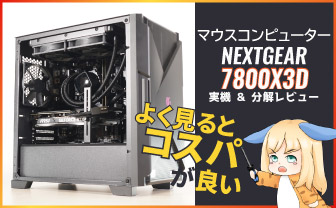
 NEXTGEAR 7800X3Dの実機レビュー
 LEVEL∞の実機レビュー
 GALLERIAの実機レビュー
 【予算10万円】自作PCプラン解説
 おすすめグラボ:7選
 おすすめのSSD:10選
 おすすめCPU:10選
 おすすめの電源ユニット10選
 ゲーミングモニター解説
 4Kのおすすめゲーミングモニター
 WQHDおすすめゲーミングモニター
 240 Hzゲーミングモニター:9選
 【PS5】おすすめゲーミングモニター
 ゲーミングモニターの選び方を解説
 「Display HDR」って何?
 「応答速度」の測定方法
 ゲーミングPC解説
 「RTX 5070 Ti」搭載ゲーミングPC
 「ツクモG-GEAR」実際に使ったレビュー
 おすすめなゲーミングPC:7選
 「日本HP」のPCを安く買う方法
 「ドスパラ」でおすすめなゲーミングPC
 「フロンティア」のお得な選び方
LINEスタンプ発売中

「ちもろぐ」の筆者

やかもち
関西エリアに生息する、平成生まれのウサトラ混合種。自作PCパーツやゲーミングモニターの測定にハマってる20代です。コスパの良いモノを探すをモットーに、測定機材を使った検証レビューをブログに書いてます。(→プロフィール詳細)
 やかもちのTwitterアカ
筆者お気に入りの通販


筆者が使ってる光回線